Documentation.AI sponsored this piece, and some links below are affiliate links. I set up all five platforms and ran the test myself — the findings and the verdict are my own.
I’ve written API docs for about seven years, and I’ve used more docs platforms than I can count. What I’d never done was put them side by side with the exact same content. They all say roughly the same thing about importing your OpenAPI spec, so I wanted to see where they actually differ.
I took one OpenAPI spec and one set of guides and published them on Documentation.AI, Mintlify, GitBook, ReadMe, and Docusaurus. Same content, same checklist, same stopwatch. Mostly this was plain curiosity. When someone asks me which platform to use, I want my answer to come from one fair test, not whichever tool I used last.
The short version
- Fastest from spec to a working playground: Documentation.AI, at about 3 minutes, with Mintlify close behind at about 4.
- Docusaurus took the most work. It’s free, but the API reference needs a community plugin, some config, and a CLI step before anything shows up.
- Documentation.AI gave me the most on a free plan: the AI assistant, the writing agent, an MCP server, and 10,000 credits to try them with. Mintlify’s free plan has no AI assistant at all.
- ReadMe is still the most API-focused of the bunch. If you don’t have a spec yet, its API Designer will help you build one, fast!
- GitBook has the editor I’d hand to a PM. Its per-site pricing adds up quickly once you run more than one site.
If I were starting a new API docs project tomorrow, I’d start on Documentation.AI, mostly because of the numbers in the cost section.
The test
I kept the inputs identical so the only variable was the platform.
For the spec, I used one OpenAPI 3.0.3 file, the Acme Payments API, a test spec for a fictional payments company with 16 endpoints, bearer token auth, and a nested request body on POST /payments. I stuck to 3.0.3 on purpose: Documentation.AI and Mintlify both support OpenAPI 3.0 and later only, while GitBook, ReadMe, and the Docusaurus plugin also accept Swagger 2.0.
One thing to be clear about: this is a test spec, not a live service. There’s no server behind it serving real data, so I judged each playground on what it built and sent, not on what came back. That’s enough to compare the platforms, because the spec is what they all have to get right.
Alongside it went three Markdown guides that every API ends up needing:
- A quickstart that makes the first call
- An authentication guide
- An errors and status codes page
On each platform I looked at:
- Time from sign-up to a live endpoint page with a working playground
- How the API reference sits next to the guides
- What happens when the spec changes
- What readers and AI tools get: search, an AI assistant, llms.txt, an MCP server
- What it costs once a team of five uses it for real
I used each platform’s own docs to set it up, the way a new customer would. No sales calls, no white-glove onboarding.
Scorecard
All five can publish a working API reference from one spec. They split on how much setup it takes and how much AI you get before you pay.
| Platform | My setup time (min) | When the spec changes | AI assistant on free plan | llms.txt and MCP | Entry paid plan |
|---|---|---|---|---|---|
| Documentation.AI | ~3 minutes | Hosted URL refreshes on its own; repo file updates on push | Yes, with 10,000 one-time credits | Both built in | $55/mo billed yearly, 10 seats, 2 sites |
| Mintlify | ~4 minutes | Repo file updates on push; a hosted URL needs a deploy trigger | No | Both built-in | $450/mo billed yearly |
| GitBook | ~6 minutes | Uploaded file needs a re-upload; URL specs are checked every 6 hours | No | Both built-in | $65/site/mo + $12/user/mo, billed yearly |
| ReadMe | ~5 minutes | Re-upload, sync with the CLI or a GitHub Action, or use Git sync on a separate empty repo | No (Ask AI is a $150/mo add-on) | Both built-in | $250/mo billed yearly, 1 project |
| Docusaurus | ~12 minutes | Re-run gen-api-docs, then rebuild | No | Community plugins only | Free; you pay for hosting |
Platform by platform
Documentation.AI
Documentation.AI gave me two ways in, and both stay in sync. In the web editor, the OpenAPI Specs tab lets you upload a file, paste it, or connect a hosted URL. In Git, you drop the spec in an api-reference/ folder and add an openapi field to a group in documentation.json. Either way, it generates an MDX page per endpoint with parameters, code samples in several languages, response examples, and the playground.
I used Git first, and setup took about 3 minutes. The commit published automatically, and the API Reference filled in with every endpoint grouped by tag.
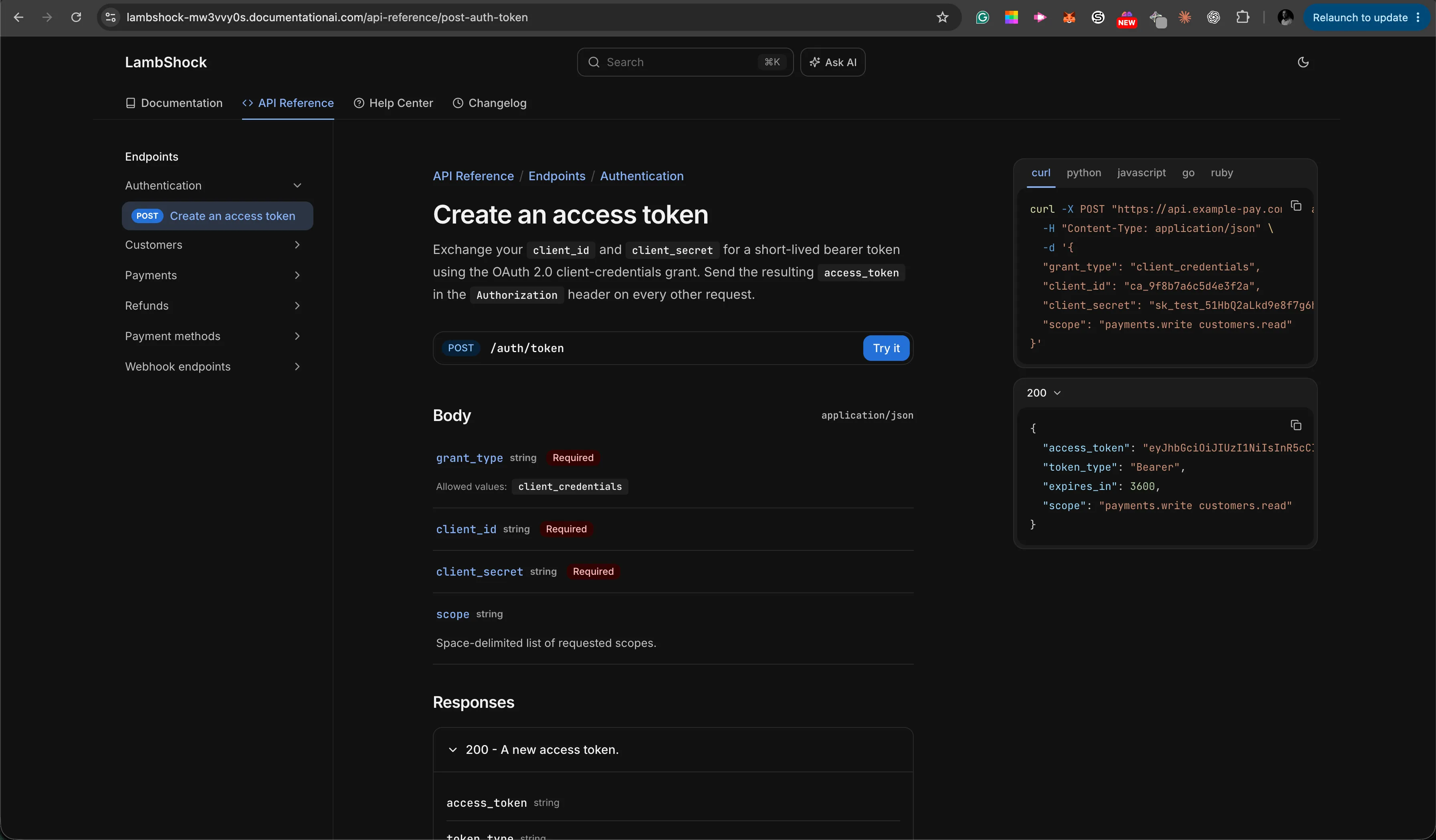 The same
POST /auth/token endpoint on Documentation.AI, with curl, Python, JavaScript, Go, and Ruby samples.
The feature that mattered most for this test was page-level OpenAPI. My authentication guide is hand-written, but I wanted readers to try the token endpoint right there. One line in documentation.json does it:
{
  "title": "Authentication",
  "path": "authentication",
  "openapi": "api-reference/openapi.yaml POST /auth/token",
  "openapi-mode": "custom"
}
custom mode injects only the playground, request examples, and responses, and leaves my prose alone. Mintlify and GitBook can also drop a single endpoint into a hand-written page, so this isn’t unique. What I liked was choosing per page between the full generated docs (auto) and just the interactive parts (custom). It held up in practice: my guide stayed as I wrote it, with POST /auth/token ready to try on the same page. The one thing to know is placement. The interactive block sits at the top of the page, above your prose, so you can’t drop it mid-guide this way.
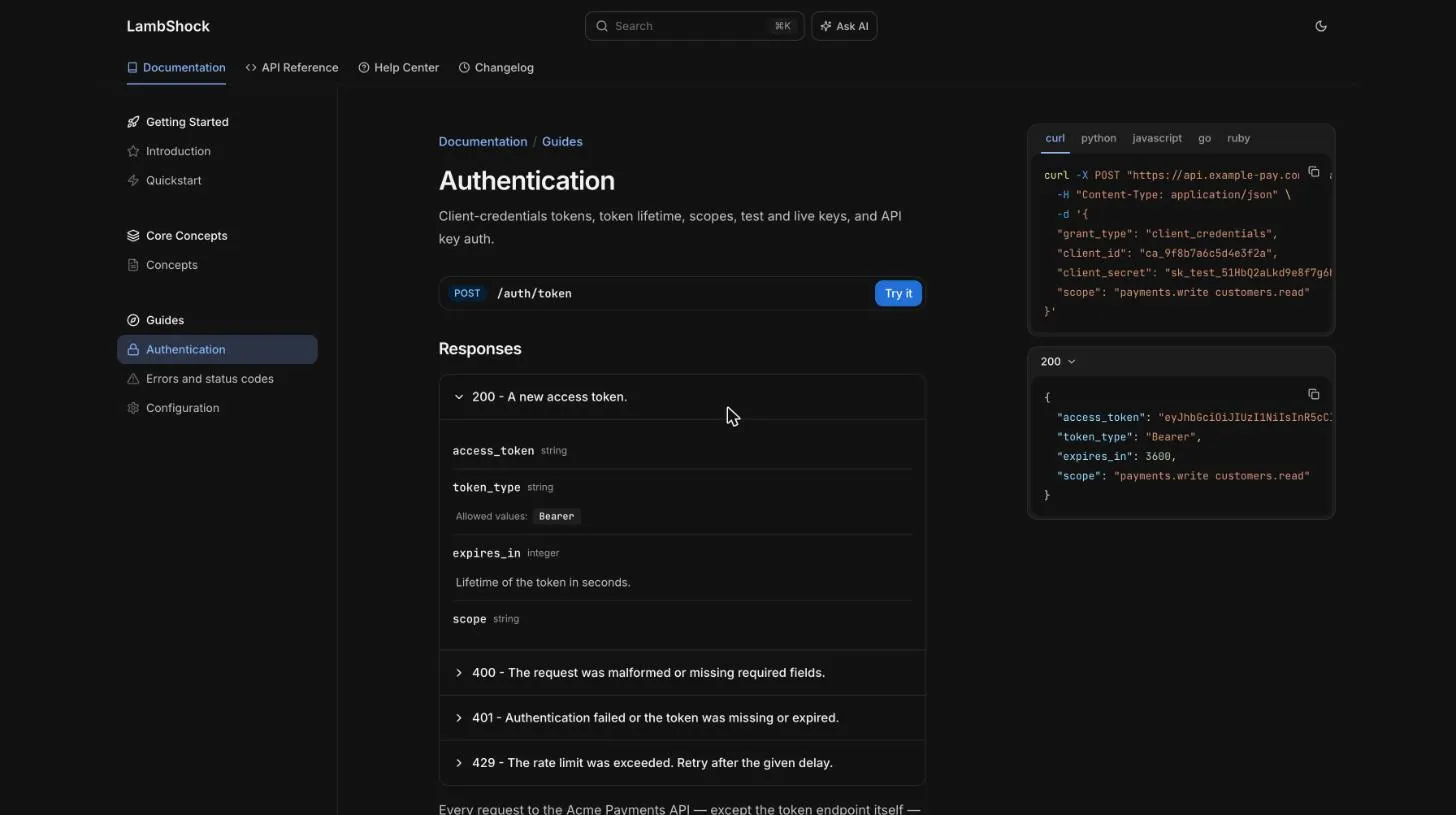 The hand-written auth guide with the live endpoint injected at the top.
If your spec defines more than one entry in servers, the playground shows a server picker, lets readers fill in server variables, and remembers their choice between visits. It supports API key, bearer, and OAuth 2.0 schemes from the spec. My test spec has three servers, including a regional one with a region variable, so it was a fair workout.
On the AI side, the free Starter plan includes the AI Assistant, the AI writing agent, an MCP server, 10,000 one-time credits, and 5 editor seats. llms.txt is built in, with a toggle under Site Config > SEO. If you connect a GitHub repo as context, the agent can read your code and commits and draft doc updates from them, and, once your docs sync from a Git repo, automation templates like API Sync from Code run on every plan.
It’s not all upside. It only accepts OpenAPI 3.0+, so Swagger 2.0 files need converting first. Specs must live in the api-reference folder. Like most hosted playgrounds, your API needs CORS rules that allow the docs domain.
I also hit two snags of my own. The GitHub flow I chose creates a new public repository for you, and you can make it private later. On my first site, the dashboard then lost access to that repo until I granted the GitHub App access again. And the free plan allows one documentation site, so you can’t spin up a second to experiment.
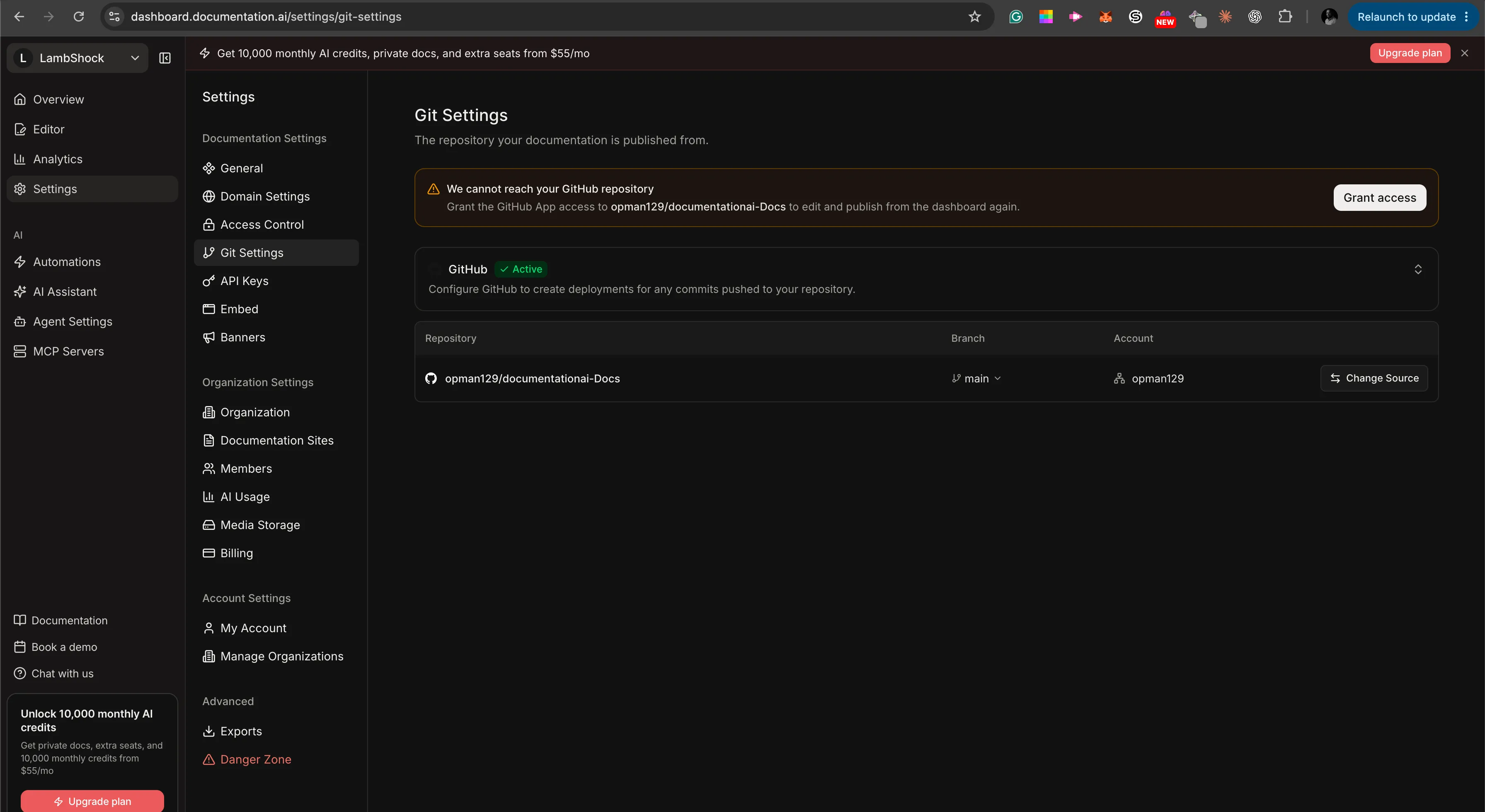 The repo access warning on my first site.
For a small team that wants the reference, the guides, and AI for readers and writers on one plan it can actually afford, this is where I landed: Documentation.AI. If you want to try the same setup, the free plan is here.
Docusaurus
Docusaurus is Meta’s open-source site generator, and it’s free. Version 3.10 shipped in April 2026 as the last 3.x release before v4. It has no built-in API reference, so you add one. The usual route is the community docusaurus-plugin-openapi-docs plugin and its theme. You install both, add a plugin block to docusaurus.config with your specPath and outputDir, point the docs preset at @theme/ApiItem, then run yarn docusaurus gen-api-docs all to generate MDX files. Every spec change means running that command again and rebuilding.
Setup took me about 12 minutes on Docusaurus 3.10.2 and plugin 5.2.0. By then, the spec had 17 endpoints, including the one from the spec-change test below, and all generated cleanly. The step to watch is connecting the generated sidebar, which the plugin’s README doesn’t cover. The generated sidebar.ts already exports the items array, so you import it and use it directly. You also have to clear out the starter docs and blog, and repoint the home page link.
The playground is solid once it’s up, with a Send API Request button and code samples in 21 languages. Two things are easy to miss. The picker for my three servers sits behind a small Edit button in the Base URL panel. And with no live server behind the spec, a failed request left the response panel blank, with the error showing only in the browser console. The request itself was right: the correct URL and JSON body for POST /auth/token.
The guides were the easy part. Docusaurus is built for Markdown and MDX, and sidebars are generated from folders. My three guides built as they were, with no MDX fixes. I gave them and the reference separate navbar items, each with its own sidebar, so they read as two areas, though you can merge them if you’d rather have one.
What you don’t get out of the box: an AI assistant, an MCP server, or an official llms.txt. Several community plugins generate llms.txt, and Docusaurus works with Algolia DocSearch for search. You handle hosting, upgrades, and security patches.
I’d only go this way if there’s a front-end engineer who owns the docs site and avoiding lock-in really matters to the team.
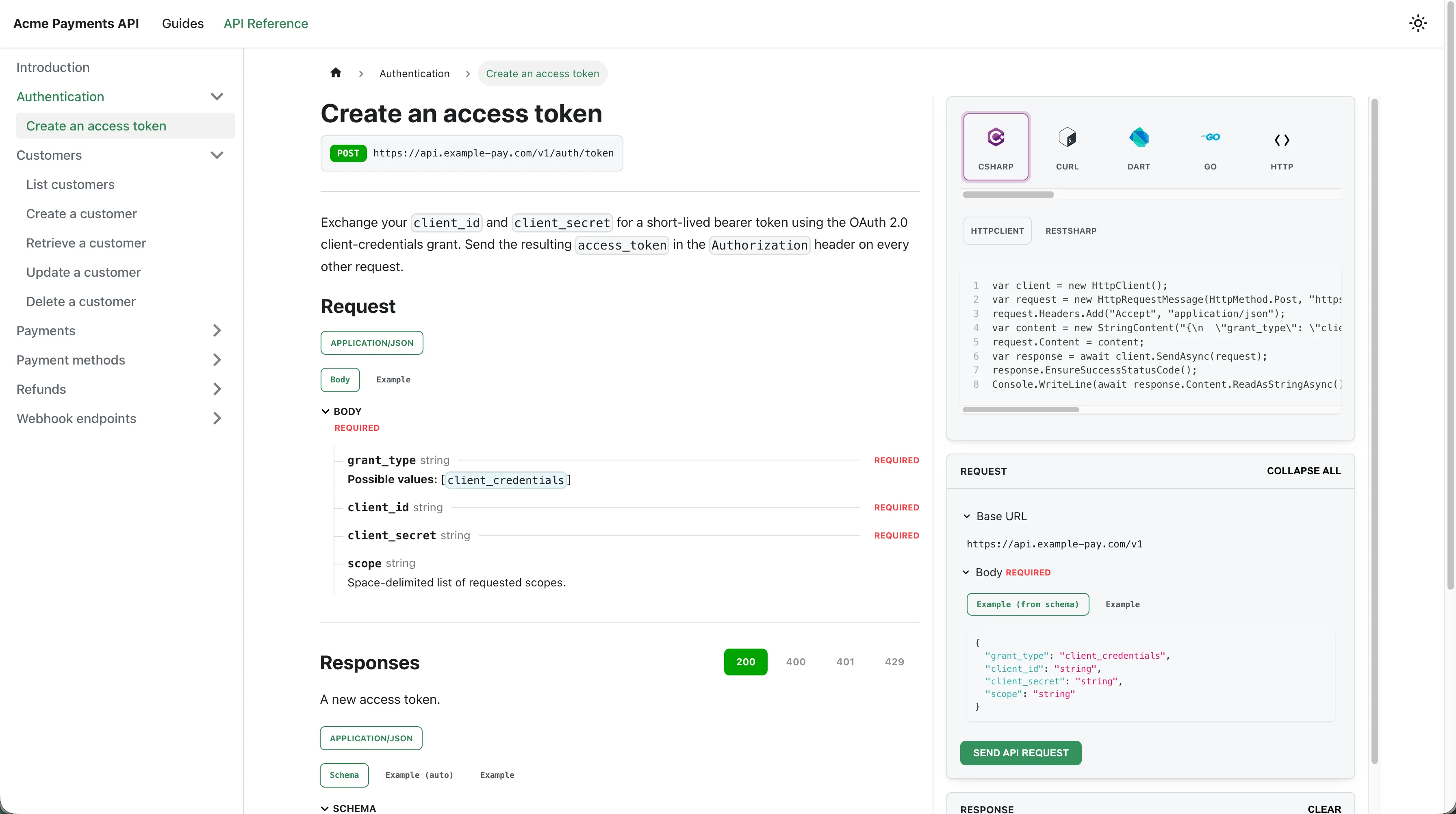 The same
POST /auth/token endpoint on Docusaurus, generated by the community plugin.
ReadMe
ReadMe’s setup is the most API-centric of the five. In the editor, you open API Reference and choose Upload File, Import from URL, or Build an API definition from scratch. That last one, the API Designer, is handy if you don’t have a spec yet.
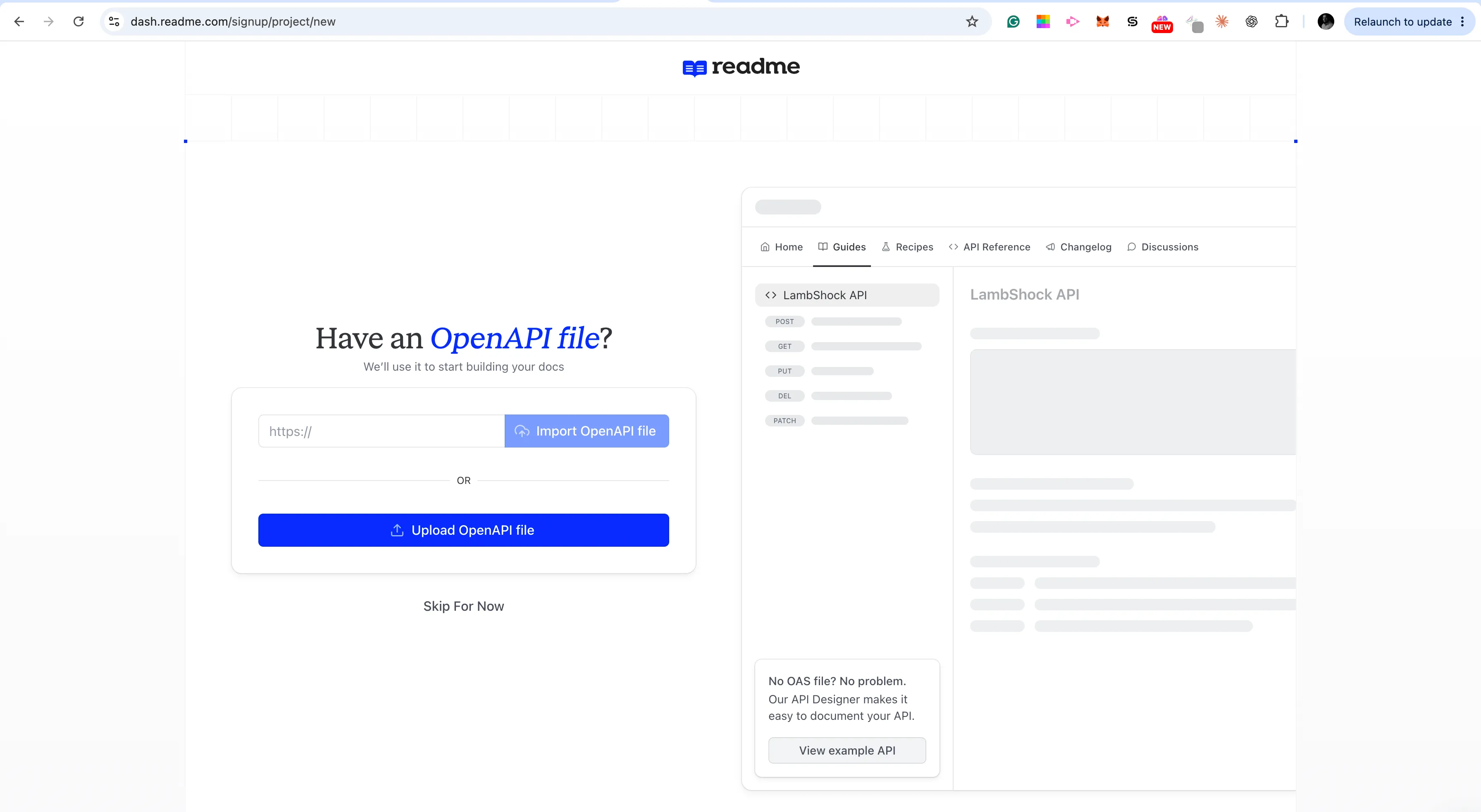 ReadMe asks for your spec during onboarding, by URL or upload.
I wanted a docs-as-code setup here, so I went straight to GitHub sync and pointed it at the repo holding my spec and guides. ReadMe wouldn’t connect it, because the first sync needs an empty repository (more on that below). So I fell back to uploading the spec, and that’s what the setup time reflects. The upload itself was painless: ReadMe built the whole reference from openapi.yaml, grouped by tag. ReadMe’s docs say uploaded YAML is converted to JSON, though the copy it later wrote to my synced repo was still YAML, so check this if your YAML file needs to stay the source of truth.
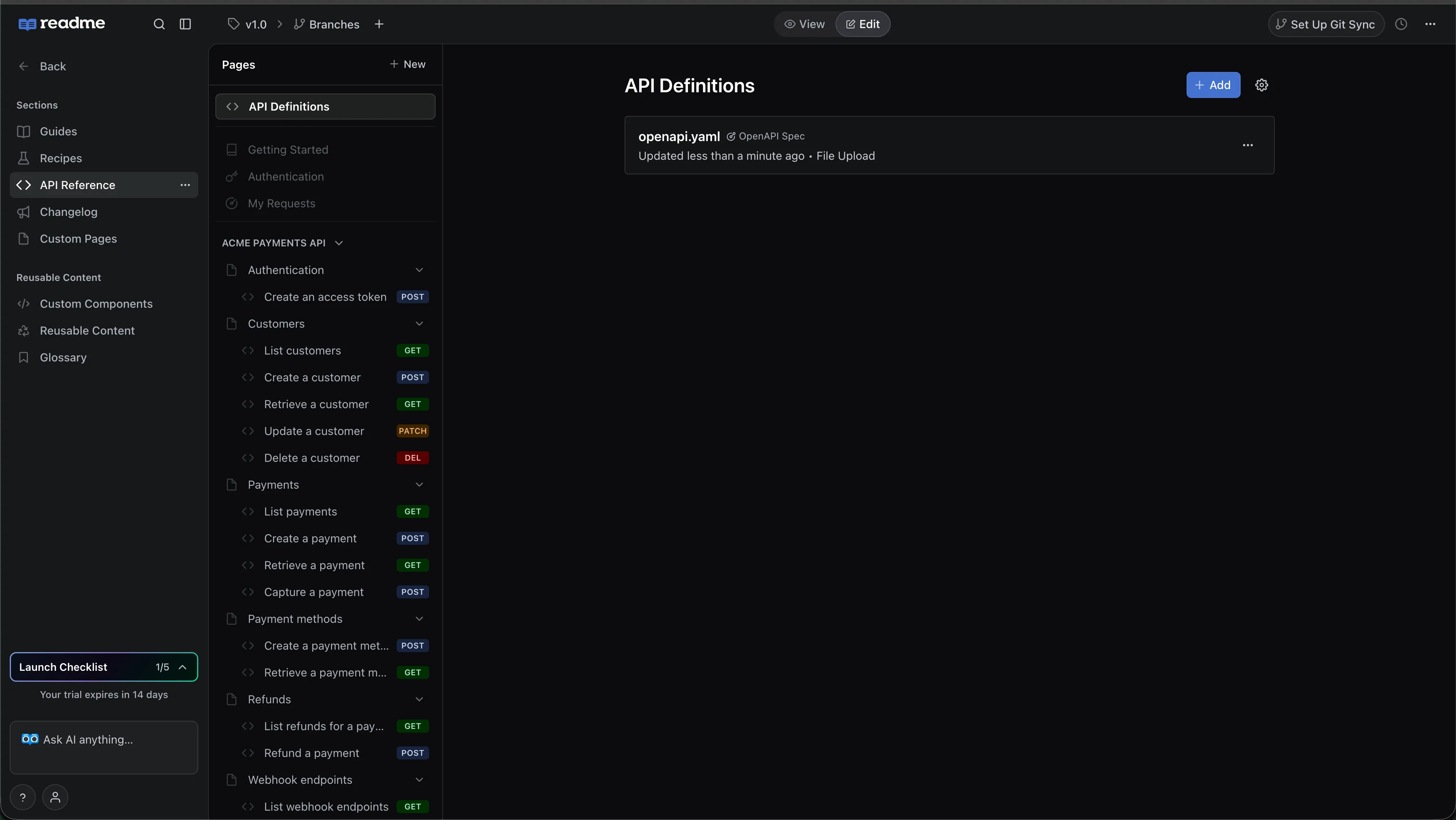 The fallback worked. Every endpoint was generated from the uploaded file.
The guides live in a separate Guides section, with bi-directional Git sync available if you start from an empty repo. Since mine wasn’t, I added all three by hand in the editor, which handled pasted Markdown well, including tables and code blocks. Guides and API Reference sit under separate tabs at the top of the site, so they feel like two areas rather than one sidebar. The free plan already includes llms.txt and an MCP server. Most of the AI writing tools sit on Pro, and reader-facing Ask AI is a paid add-on.
I also hit a snag at launch that looks specific to my account. The billing page said launching on the Starter plan “isn’t available for this account”, leaving me to contact support or pay for Pro. Until then, the public URL redirected to an inactive page, so I could only view my docs in the dashboard preview. That isn’t ReadMe’s published policy: its docs say you can move to Starter when you’re ready to publish, list no such restriction, and don’t mention this message. So don’t read this as a rule, but do try a launch before you commit to the free plan.
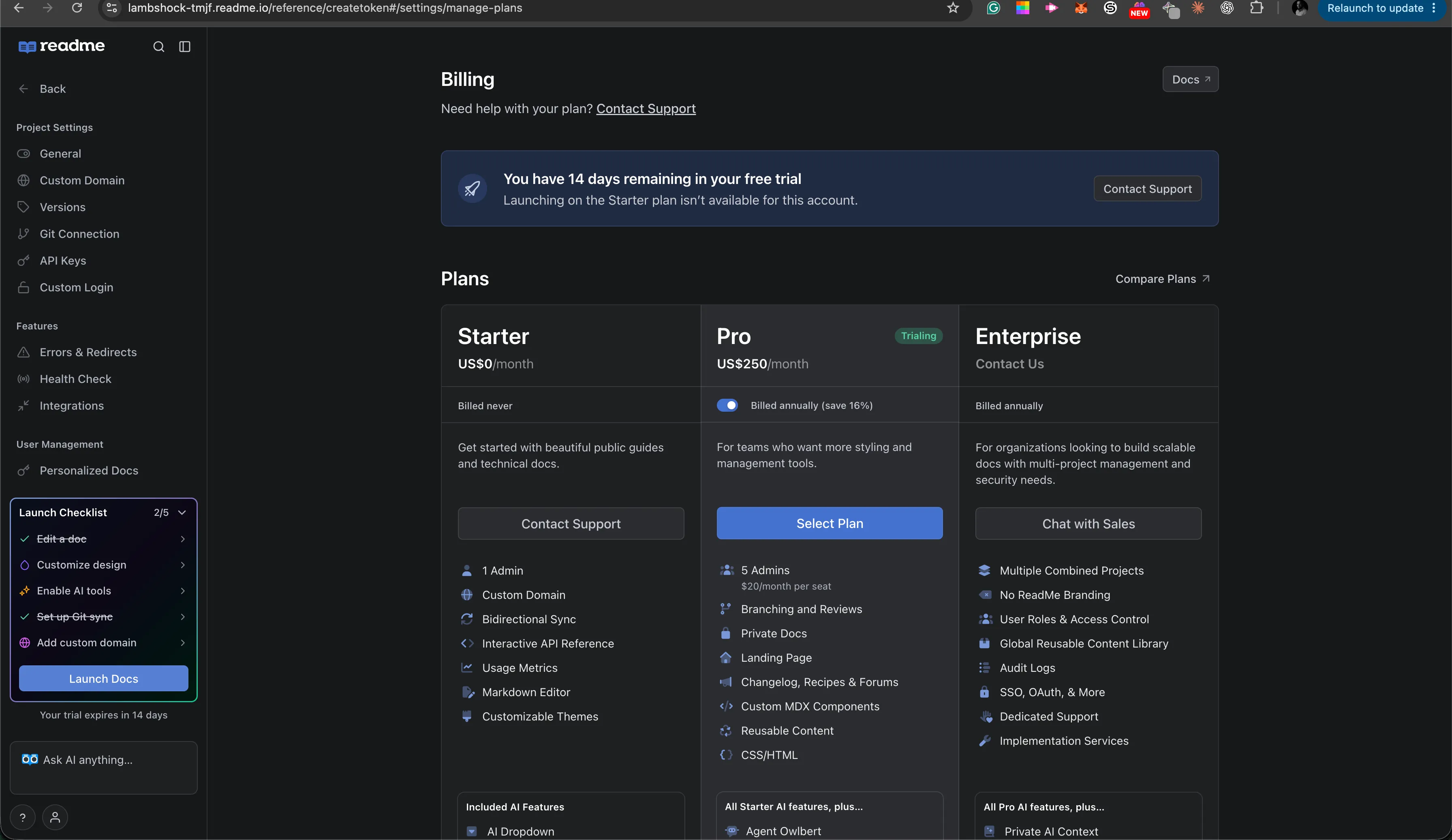 The message on my account. ReadMe’s docs don’t describe this restriction.
It makes the most sense when your docs are mostly reference, and the try-it explorer is what your developers care about.
GitBook
GitBook asks you to add the spec first (upload, URL, or CLI), then insert it into a space with Add new… > OpenAPI Reference. You can generate one page per tag or one per operation, and those pages keep updating when the spec does. It accepts Swagger 2.0, OpenAPI 3.0, and 3.1, including 3.1 webhooks. The playground is “Test it”, powered by Scalar. If you add the spec by URL, your API needs CORS rules that allow your docs domain.
Setup took me about 6 minutes. I went in through Git Sync, which meant committing a gitbook-docs.yaml file to the repo before GitBook could map it to a site. After that, the sync ran cleanly on my existing repo, in both directions. One catch: Git Sync carries your Markdown, not your spec. My guides went live, but the OpenAPI file in the same repo didn’t become an API reference. I had to add it separately under OpenAPI, then insert it into the site, choosing one page per operation. I spent most of my time in Git rather than the block editor, but it’s still the one I’d hand to a PM or support lead without training.
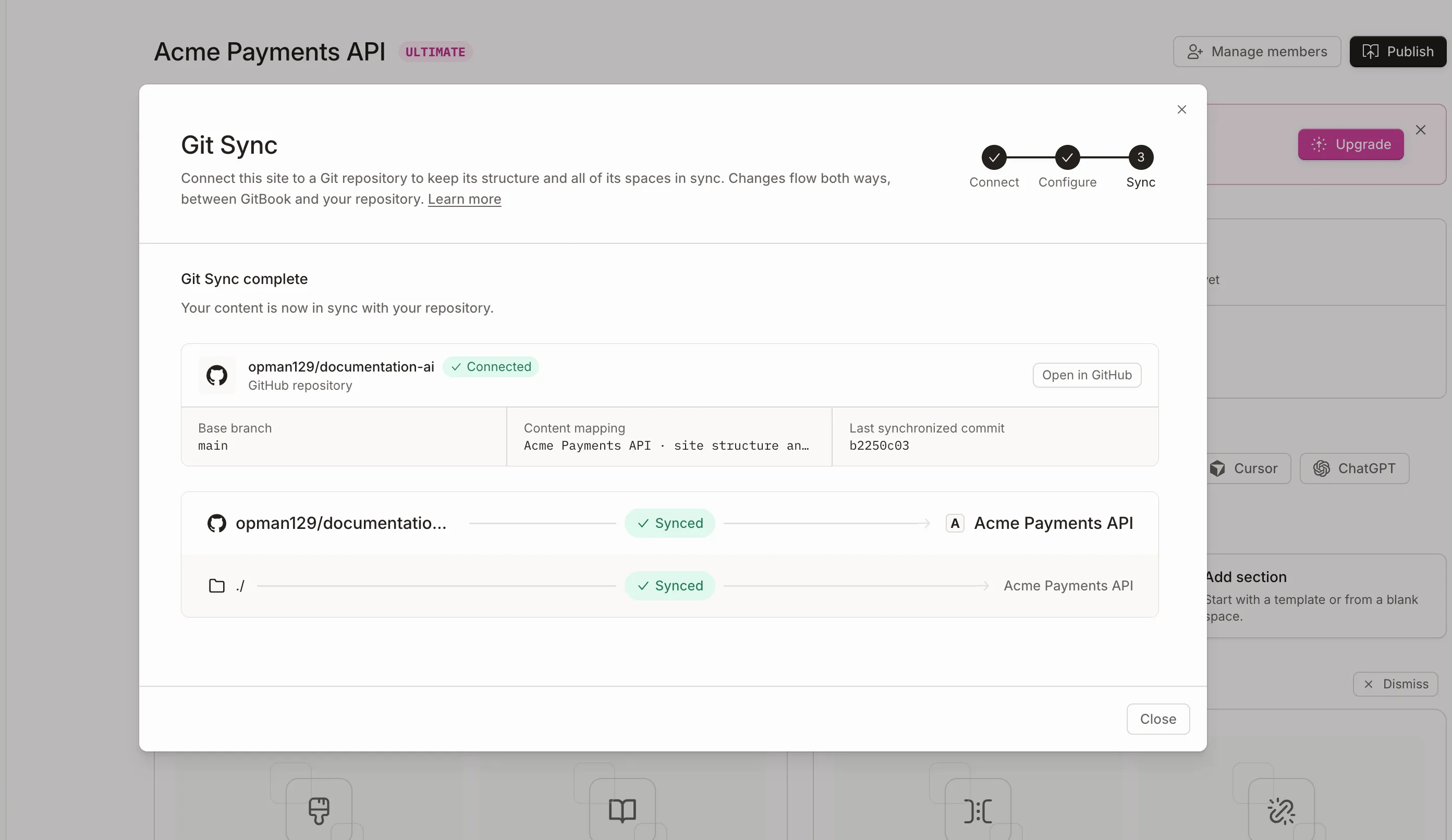 GitBook’s Git Sync connected to my existing repo with no complaints.
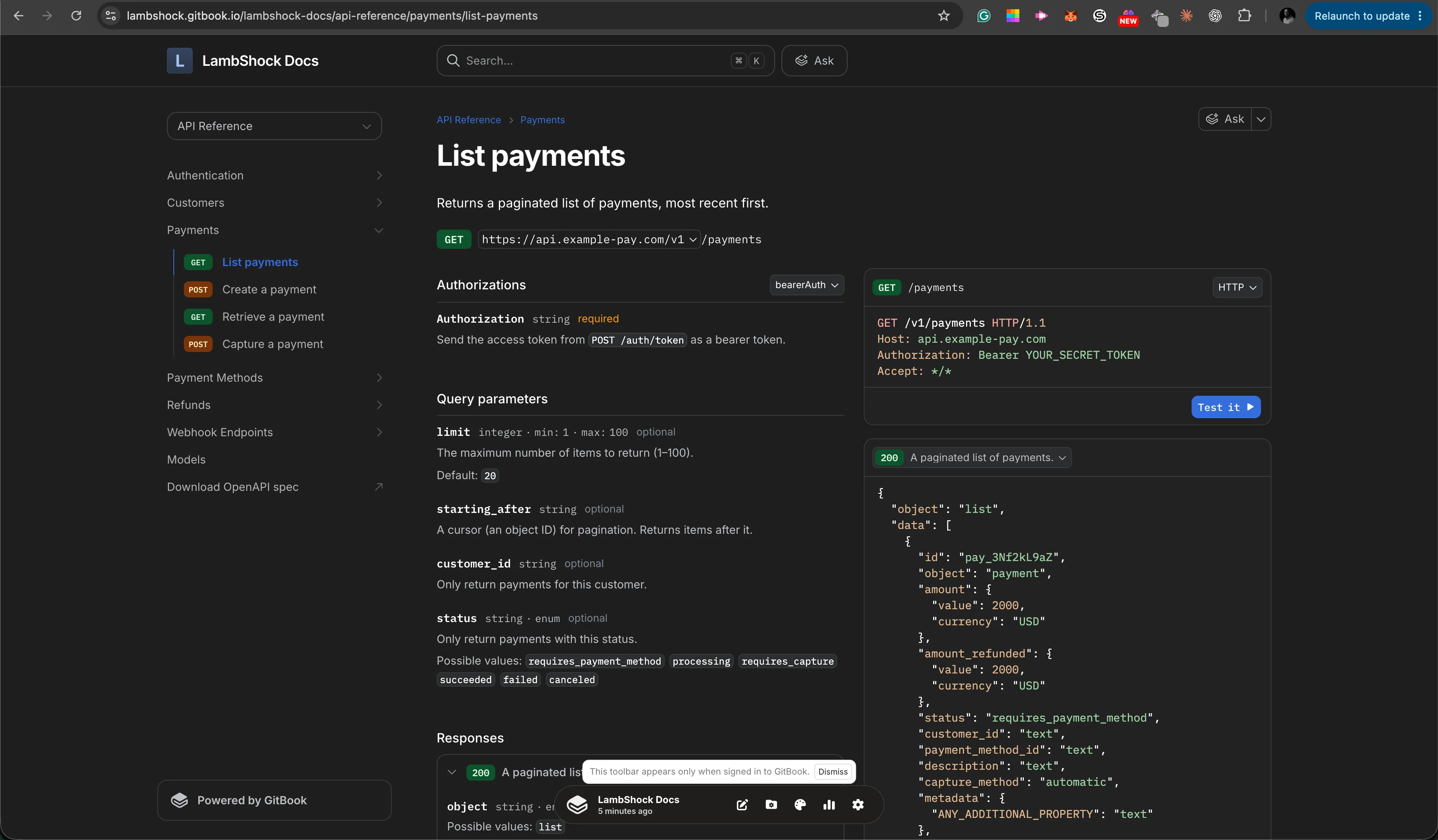 The API reference, once the spec was added separately.
Every GitBook plan gets llms.txt, Markdown page versions, and an MCP server, which is generous. Pricing is per site, though, so two products means paying twice.
If non-engineers write most of your docs and you only have one site, it’s a good fit.
Mintlify
Mintlify’s flow is docs-as-code. You add your spec to the repo, then add an openapi field to your navigation in docs.json. Pages generate for every endpoint, and x-hidden in the spec hides the ones you don’t want. mint validate checks the spec locally.
If you point docs.json at a hosted spec URL, spec changes don’t trigger a redeploy. Mintlify’s docs tell you to call its deployment API from the same CI job that updates the spec.
Setup took me about 4 minutes. I pointed Mintlify at my existing repo, added a docs.json with an API Reference tab pointing at openapi.yaml, and the first deployment created all 16 endpoint pages. The playground worked as soon as the site went live, with a Try it button on each page and sample requests built from the spec.
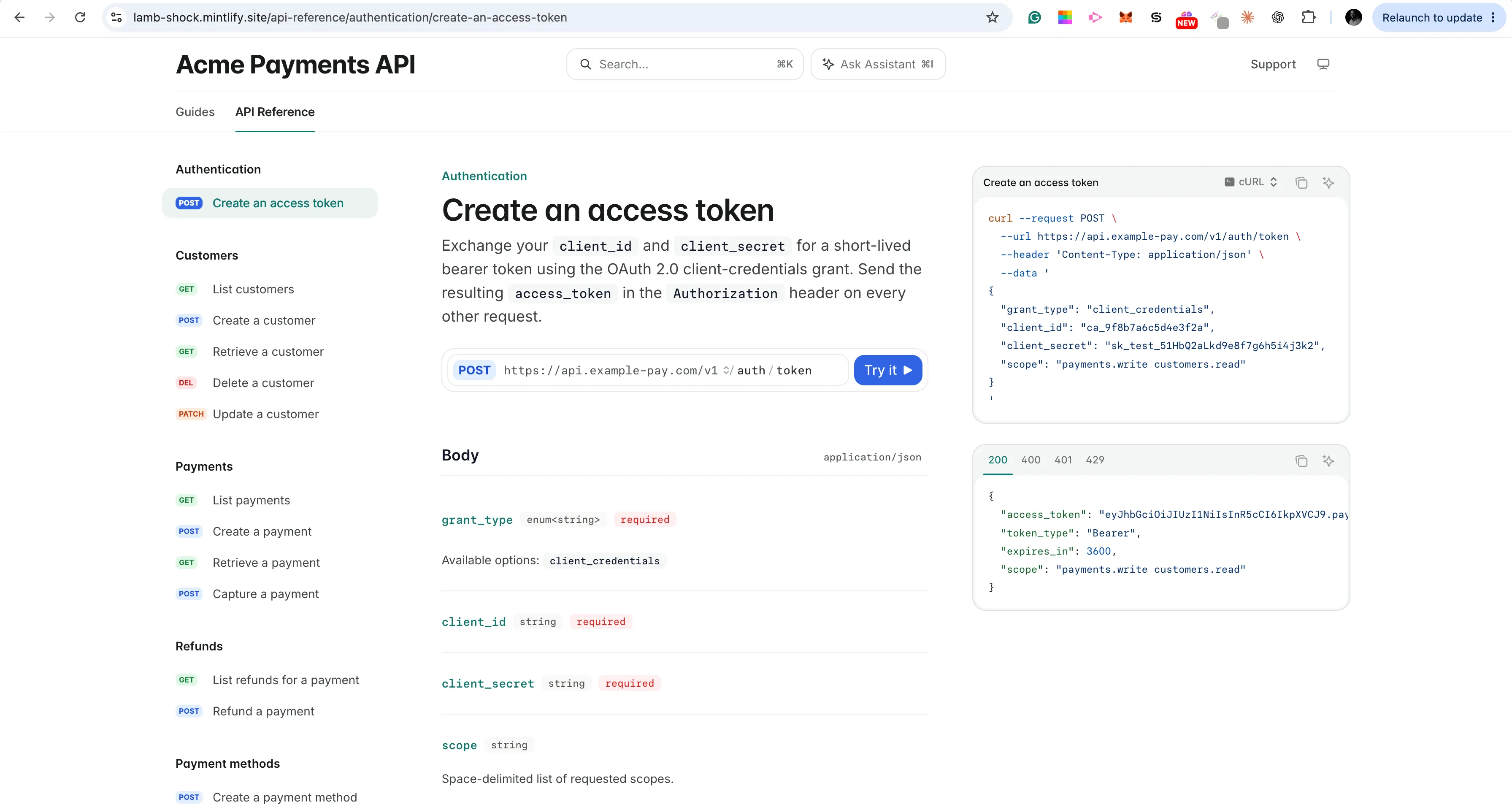 Mintlify’s generated page for
POST /auth/token.
The output looks great, and the free plan includes a custom domain, the API playground, Git sync, and an MCP server. The AI assistant only comes with Pro, though a 14-day trial lets you test it.
If budget isn’t a concern, it’s a safe choice. Plenty of developer-tool companies already run on it.
What it costs once readers start asking questions
For a team of five with a reader-facing AI assistant, Documentation.AI Standard costs $660 a year and covers up to 1,000 AI answers a month. Mintlify Pro costs $5,400 a year and covers up to 400.
Every hosted platform here bills AI usage in credits, so I worked out how many reader questions each plan’s credits actually cover.
| Plan (team of 5, one site) | Price/mo, billed yearly | AI credits/mo | Credits per answer | Answers/mo | Cost per extra answer |
|---|---|---|---|---|---|
| Documentation.AI Standard | $55 | 10,000 | 10 | 1,000 | $0.09 |
| Documentation.AI Pro | $159 | 30,000 | 10 | 3,000 | $0.09 |
| GitBook Essential | $125 ($65 site + 5 × $12) | 2,000 | 20 | 100 | ~$0.19 |
| GitBook Ultimate | $309 ($249 site + 5 × $12) | 10,000 | 20 | 500 | ~$0.19 |
| Mintlify Pro | $450 | 10,000 | 25 | 400 | $0.25 |
How I calculated it: answers covered = monthly credits ÷ credits per answer, assuming every credit goes to reader questions. Extra-answer cost uses each vendor’s smallest monthly add-on or overage rate (Documentation.AI: 5,000 credits for $45; GitBook: 5,000 for $47.50; Mintlify: $0.01 per credit overage).
A few things the table can’t show:
- Credits are shared, but not equally. On Documentation.AI, the writing agent and its automations draw from the same pool as the assistant, so real answer counts will be lower. Mintlify shares its pool among the assistant and Autopilot (automations are Enterprise-only), while its writing agent is unlimited and uses no credits.
- The billing rules differ. All three skip the charge when the assistant can’t help: Documentation.AI deducts nothing for failed responses, unanswerable questions, or small talk; GitBook bills only relevant answers; and Mintlify doesn’t charge when it can’t answer. Documentation.AI also charges a flat 10 credits per question regardless of answer length, and carries over 50% of unused credits, up to 1.5× the monthly allowance.
- ReadMe isn’t in the table because it doesn’t publish a per-answer credit cost. Pro is $250/month billed yearly with Ask AI Lite included; full Ask AI is a $150/month add-on.
- Docusaurus costs nothing to license. Your costs are hosting, a search provider, and the engineering hours to maintain it. I’d budget 3 to 5 hours a month to keep a Docusaurus API site healthy, covering dependency updates, plugin and Docusaurus version bumps, regenerating pages, and fixing whatever those break.
What I learned
Getting the spec in was easy everywhere. The differences show up when it changes.
To test that, I added one endpoint, DELETE /webhook-endpoints/{webhookEndpointId}, and pushed it to each repo.
On Documentation.AI, the new page was live in under 30 seconds, with one file changed and no further steps from me. It also picks up changes to a hosted spec in the background, though it doesn’t publish a refresh interval, and its automations can draft doc updates when a PR merges.
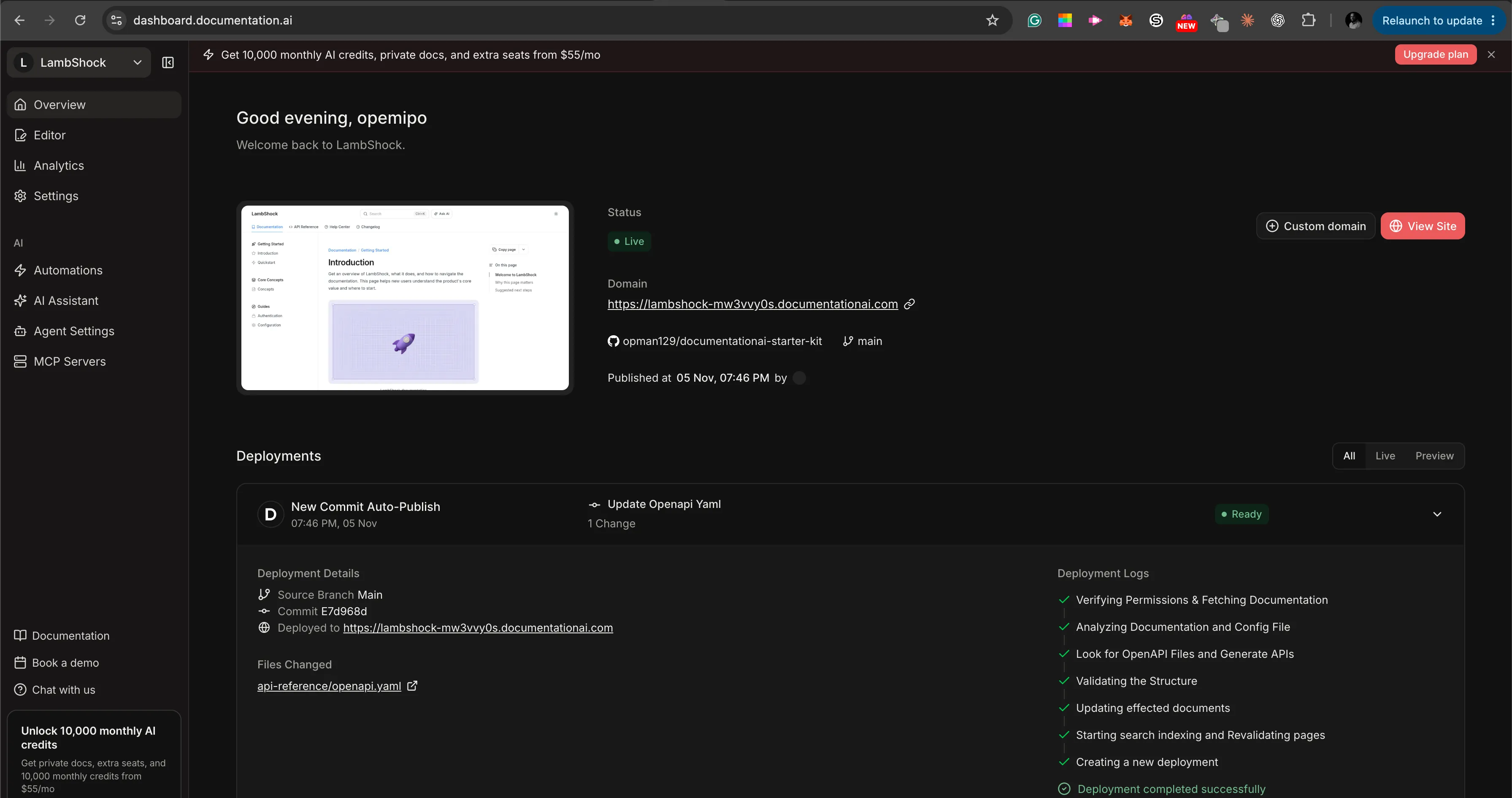 Pushing a spec change to Documentation.AI triggered this deployment on its own.
GitBook synced the same commit in under 90 seconds, but only the Markdown changed. The new endpoint reached the README table, not the API reference, because Git Sync doesn’t publish the spec. With a spec added as a file, GitBook says plainly that your docs update only when you upload a new version. URL-linked specs are checked every 6 hours, and the CLI can publish from CI.
Mintlify was close behind. With its GitHub App installed, a pushed spec update was live in under a minute, and the commit got a Mintlify deployment check. A spec hosted at a URL is different: Mintlify’s docs say it needs a deploy trigger before changes appear.
ReadMe never connected to my main repo, so that push didn’t reach it. Once I gave it a separate empty repo, it wrote the spec, the guides, and a Markdown page per endpoint there, so that’s the repo to update. Going by its docs, changes committed there sync back, and you can also update the file in the dashboard, through its CLI, or from a GitHub Action. Docusaurus needs a regenerate and a rebuild.
I spent more time on the guides than on the reference, which I didn’t expect. Readers start at the quickstart, not at GET /payments/{paymentId}. Being able to drop a live endpoint into a guide mattered more to me than how polished each playground looked.
llms.txt and an MCP server are pretty much standard now. Four of the five give you both. Docusaurus is the odd one out, though community plugins get you most of the way if you don’t mind maintaining them.
Free plans mattered more than I expected. I couldn’t try Mintlify’s AI assistant without starting a trial. On Documentation.AI’s free plan, it was there from the start.
What surprised me most was ReadMe’s Git sync. It refused my repository because it already had content, and its first sync needs an empty one. The docs confirm it: no commits, no files, not even a README. That rules out the most common docs-as-code starting point: a repo you already have, and it was the only platform that stopped me there. Mintlify and GitBook both connected the same repo without complaint. Documentation.AI can connect an existing repo too, as long as it has a documentation.json at the root, though the onboarding I used created a new one.
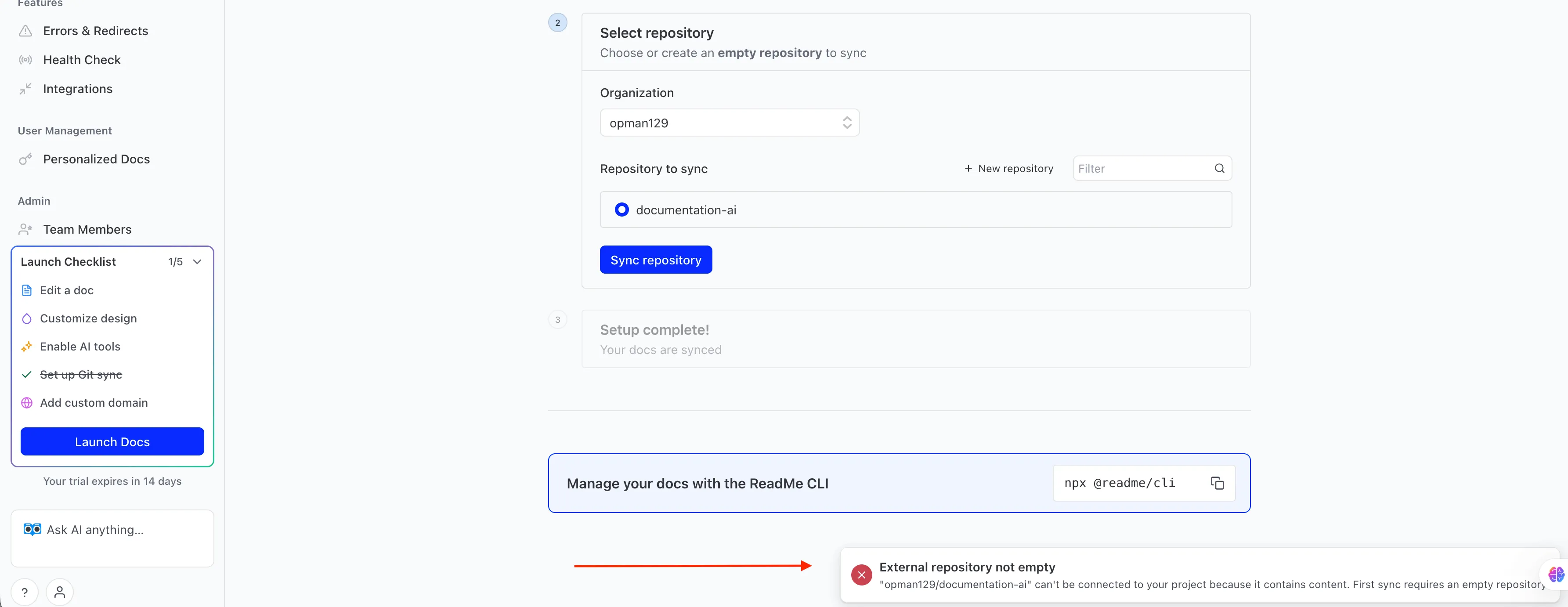 “First sync requires an empty repository.” The error that sent me back to a manual upload.
There is a way through. I created a new, empty repo, connected ReadMe to it right away, then wrote all my content into it, commit by commit. It works, but you end up with a second repo for your docs instead of syncing the one you already have. The connection screen also still read “Last synced at null”, even though the content had arrived.
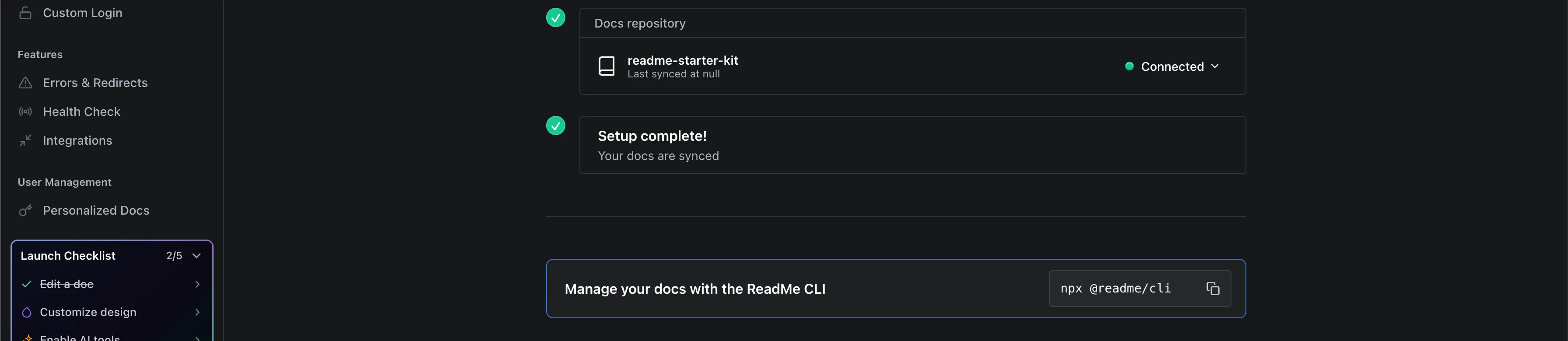 Connected at last, on a separate empty repo.
Where I landed
If a small team asked me tomorrow, I’d start them on Documentation.AI. The free plan covers a real API docs site with AI included, and the first paid tier is $55 a month. Docusaurus still makes sense if you want to own everything, ReadMe if your docs are mostly reference, and GitBook if non-engineers do most of the writing.
Already on one of these and thinking of moving? Documentation.AI has a migrator for Mintlify, GitBook, ReadMe, and Docusaurus sites, and its team will run the migration for free. I tried it myself.
FAQ
Which documentation platforms have a free plan with an API playground?
All five. Documentation.AI, Mintlify, and ReadMe include an interactive API reference on their free plans. GitBook’s free plan includes OpenAPI blocks with “Test it”. Docusaurus is free, with the playground coming from a community plugin.
Can I import a Swagger 2.0 file?
GitBook, ReadMe, and the Docusaurus OpenAPI plugin accept Swagger 2.0. Documentation.AI and Mintlify require OpenAPI 3.0 or later, so convert the file first. Swagger Editor can do it under Edit > Convert to OpenAPI 3.
How do I keep API docs in sync with my OpenAPI spec?
Keep the spec in Git and let the docs platform rebuild on push, or point the platform at a hosted spec URL. Documentation.AI refreshes hosted specs in the background. Mintlify needs a deploy trigger for hosted specs. Docusaurus needs gen-api-docs and a rebuild.
Is Docusaurus good for API documentation?
It’s good if you have engineering time. The docusaurus-plugin-openapi-docs plugin produces solid reference pages, but you own the setup, upgrades, search, hosting, and any AI features.
Do I need llms.txt and an MCP server for my API docs?
If developers use AI coding tools, yes. llms.txt gives models an index of your pages, and an MCP server lets tools like Claude Code and Cursor search and read your docs directly. Documentation.AI, Mintlify, GitBook, and ReadMe all provide both.